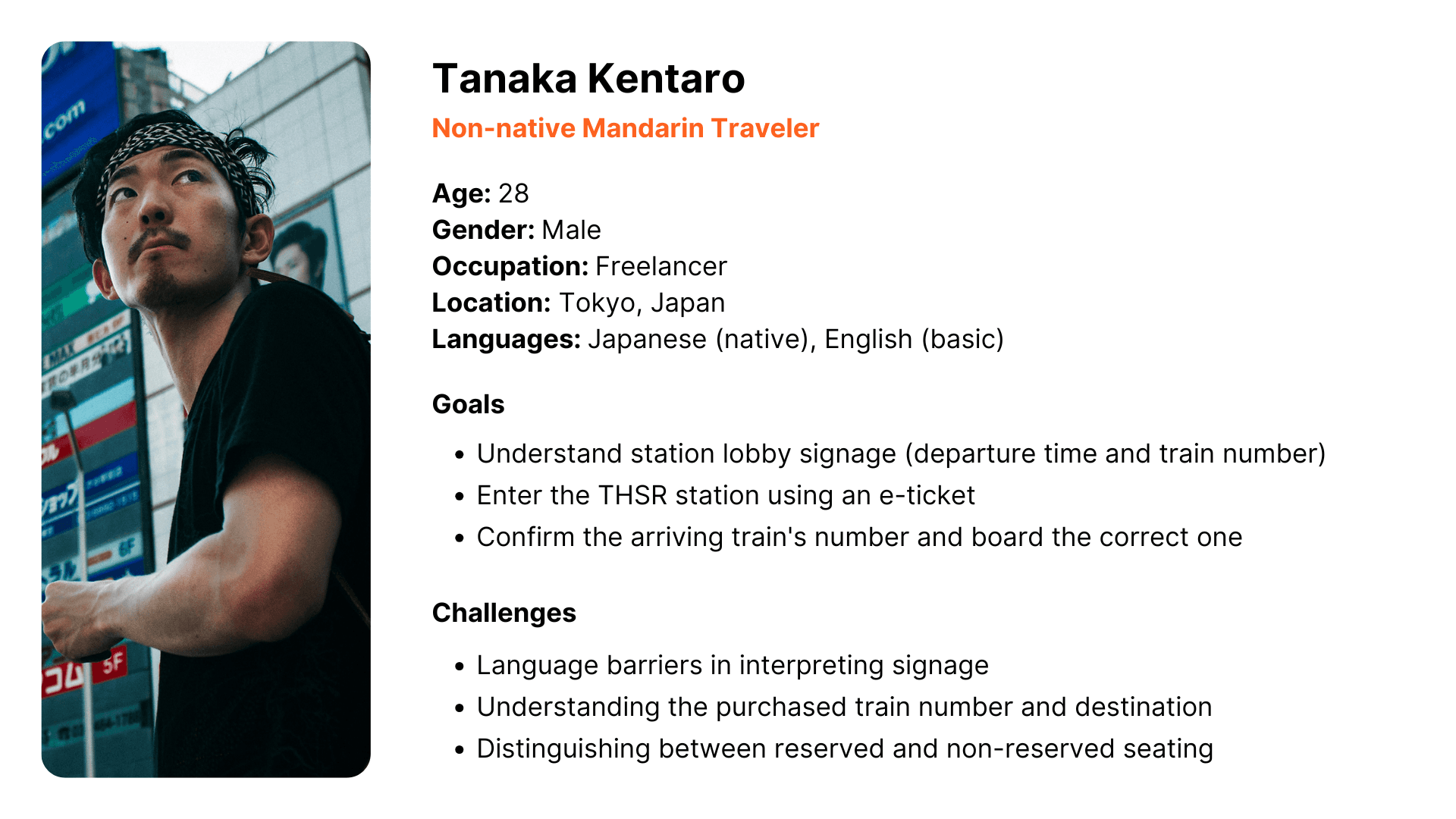
Persona
A primary persona was created for better understanding of those users.
User Flow
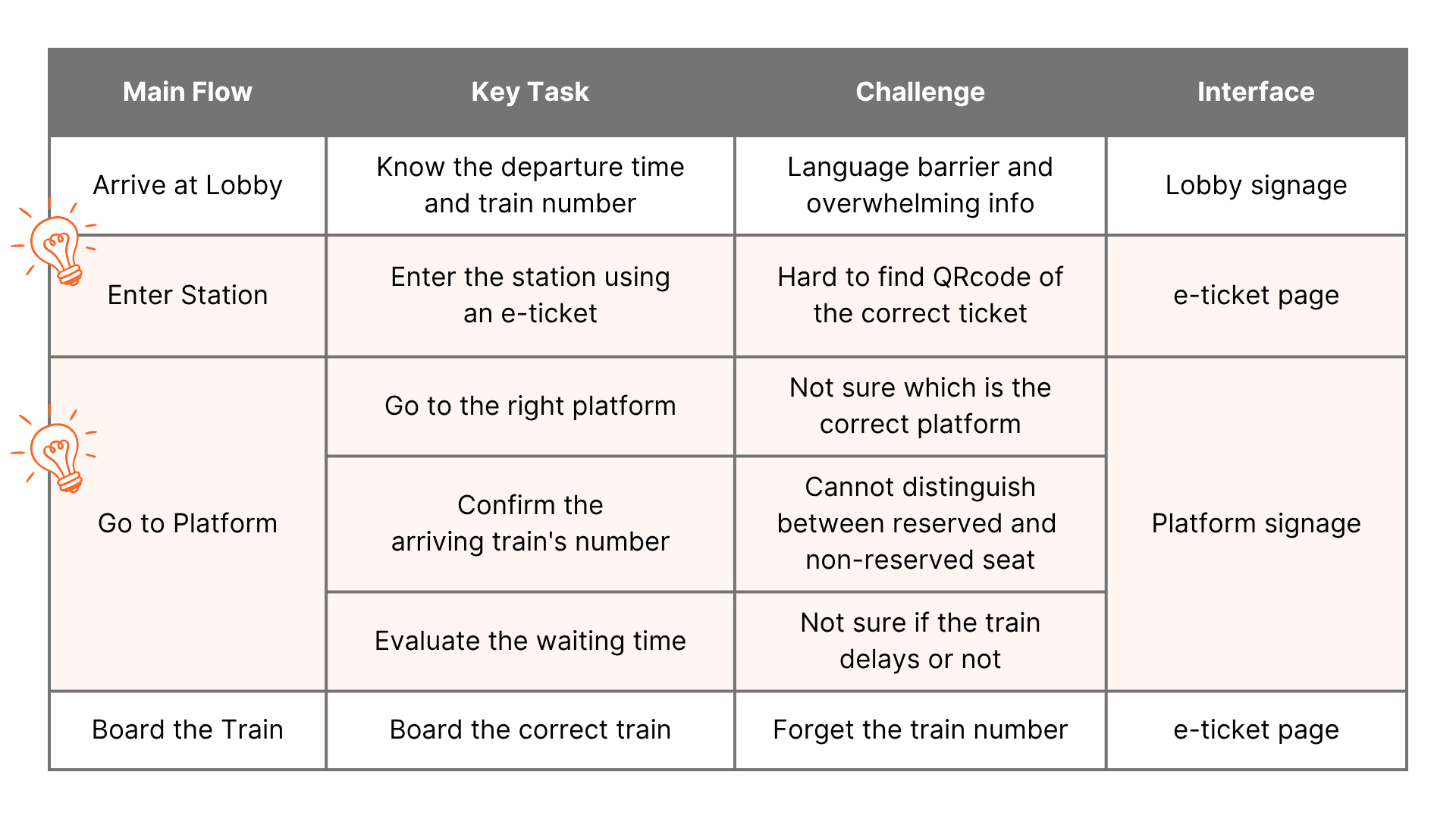
The overall user journey can be divided into four main stages. This project focuses on two key steps: Entering Station and Going to Platform.
Objective
Enable non-native Mandarin speakers to successfully board the correct THSR train using Vision Pro.
Information Hierarchy
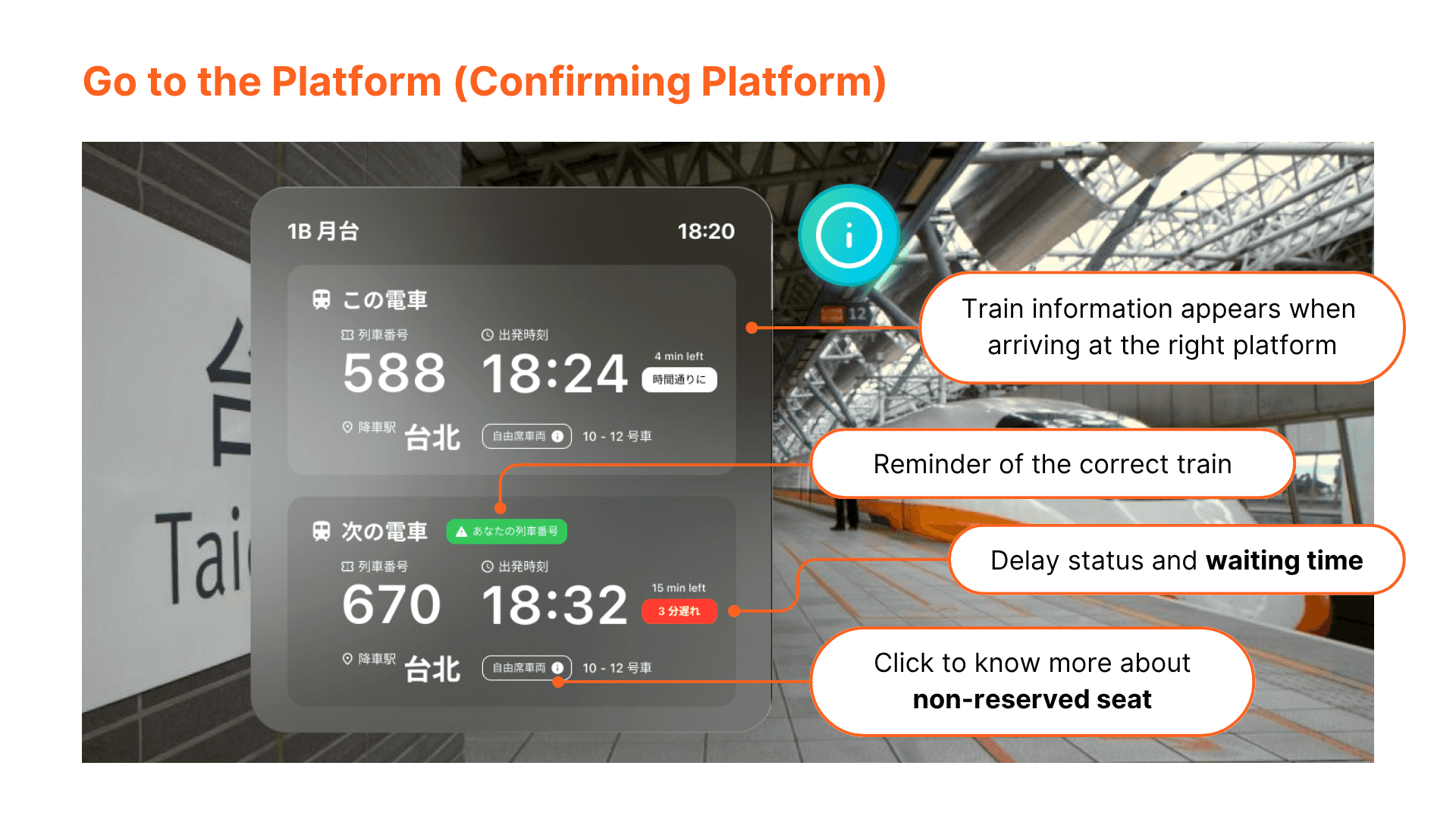
Prioritized the 6 key parts of information based on the needs of travelers:
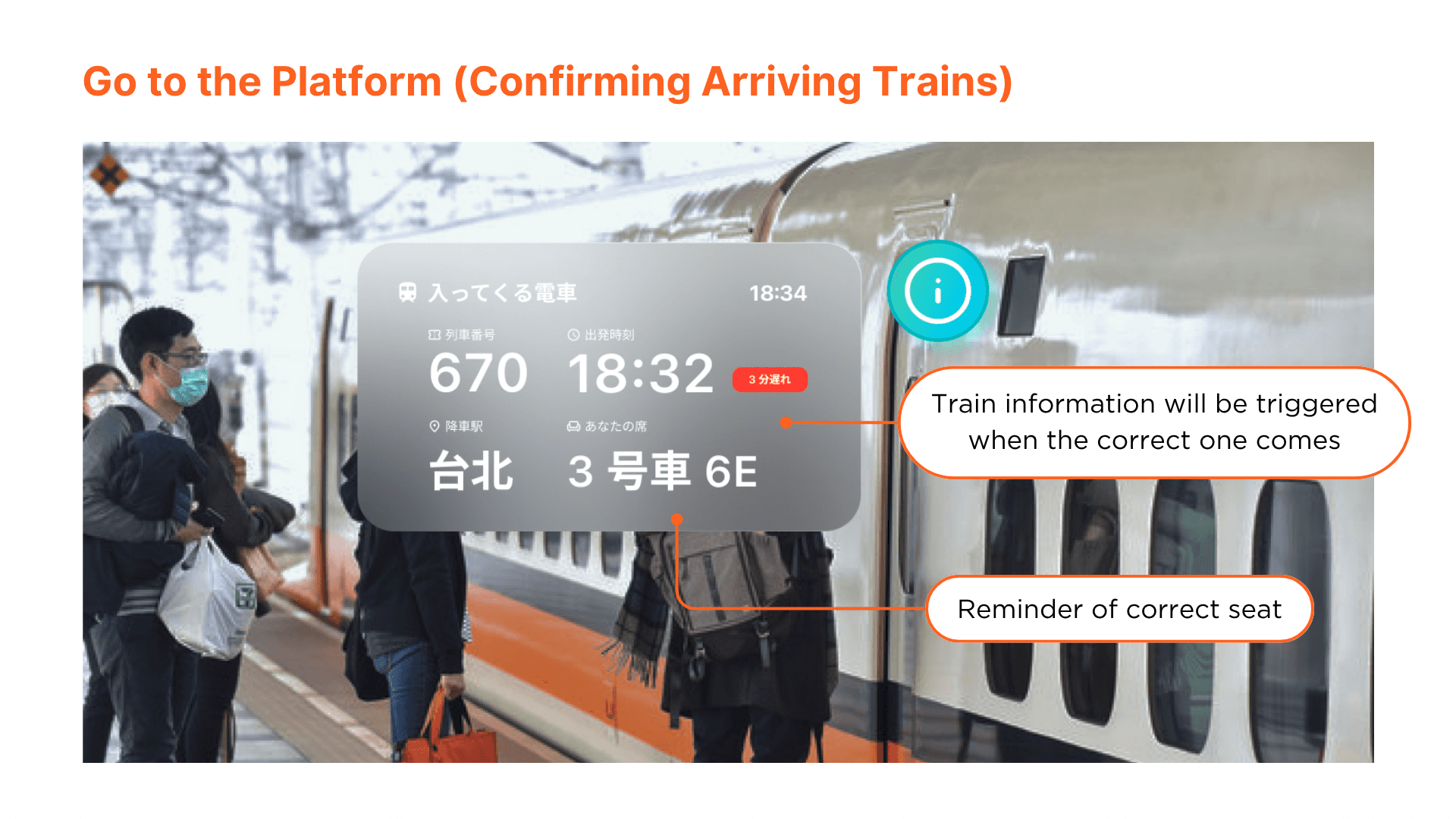
Train Number
The train number alone is sufficient to confirm if the train is correct, as different trains may share the same destination.
For non-native speakers, a numeric code is easier to recognize than Chinese characters.Departure Time & On-Time/Delay Status
The departure time is the second most important.
Clear indication of delays is essential to prevent boarding the wrong train when multiple are running late.Countdown to Departure
Once the departure time is known, users naturally want to assess how much time remains.
Displaying a countdown (e.g., "departs in X minutes") is more intuitive than requiring users to subtract from the current time.Destination
Serves as secondary confirmation of the correct train; its importance is relatively lower compared to the train number.
Seat Type Guidance
Travelers typically know whether they purchased a reserved or non-reserved seat at the time of booking, so this detail is of lower importance. However, foreign travelers unfamiliar with the distinction can click an adjacent icon for further explanation.
Platform Number
If the listed train numbers do not match the ticket, users can use this to realize they are at the wrong platform.
Assumptions of Vision Pro
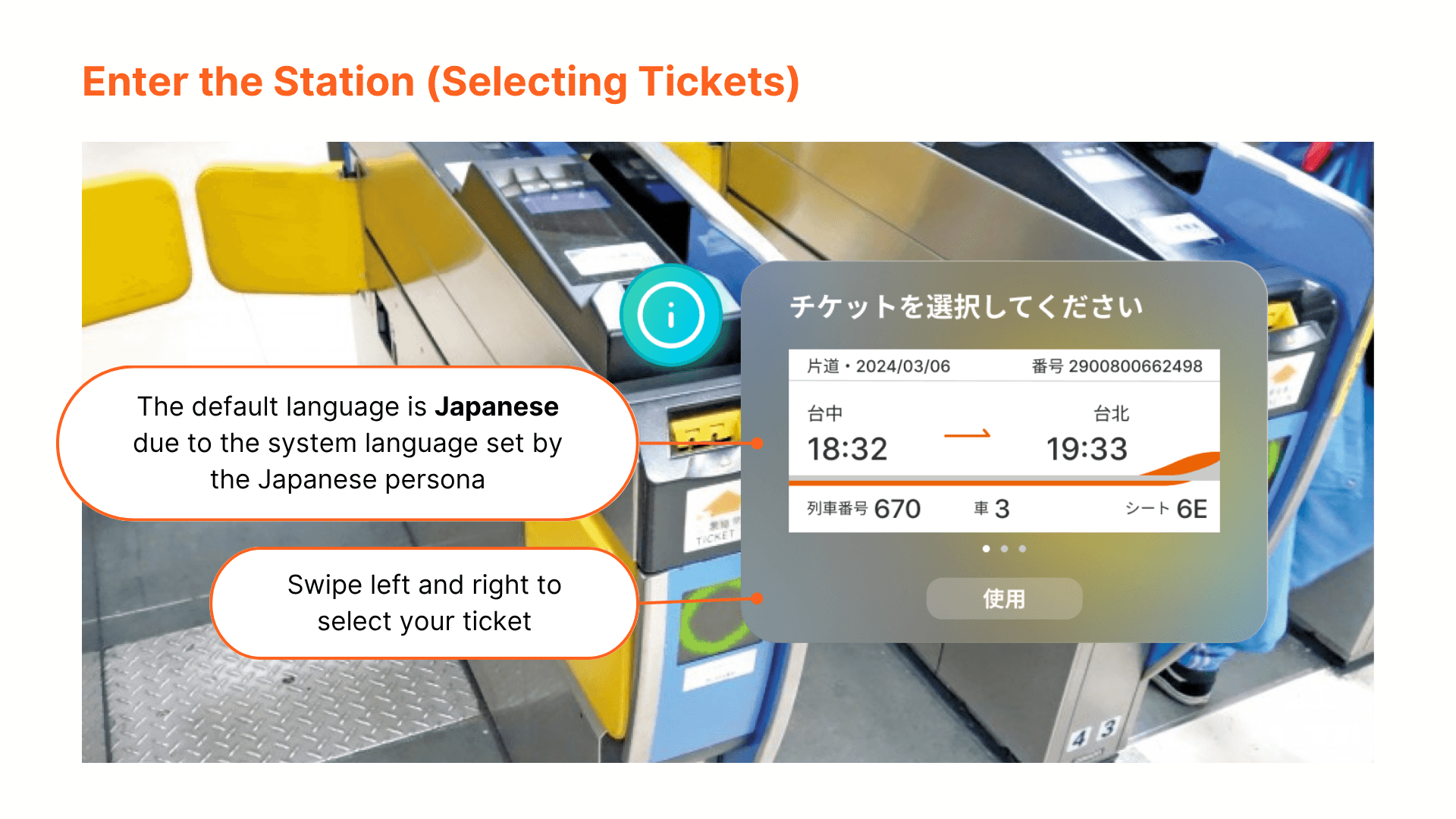
Interface language adapts based on the Vision Pro’s default system language
→ If the user's Vision Pro is set to Japanese, the interface will automatically display in Japanese upon activation.
The user has the THSR app installed on Vision Pro with ticket information stored
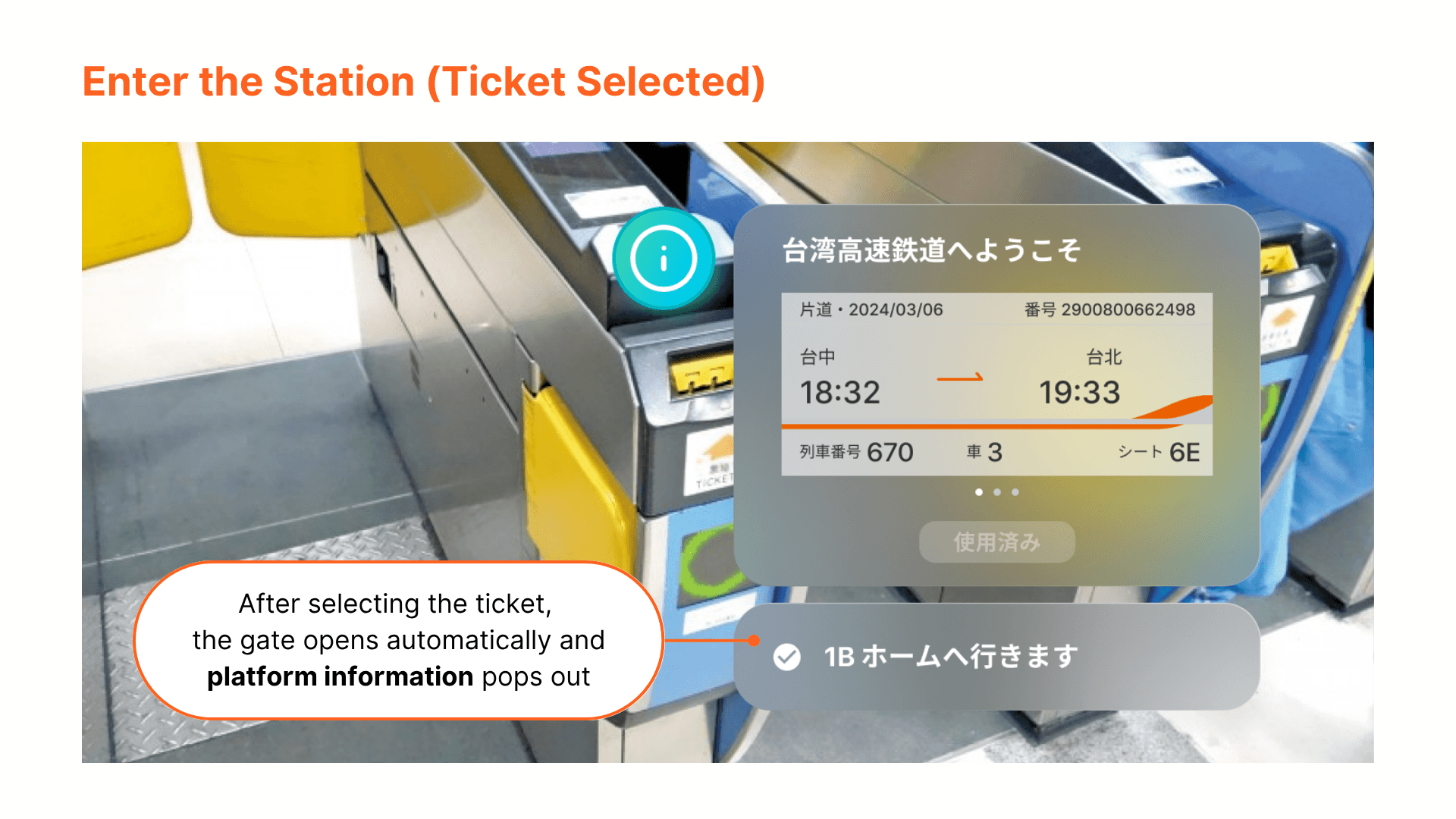
→ The station signage interface dynamically adapts based on the user’s purchased ticket details.
Station signage interface can be triggered without manually opening the THSR app
→ Activation functions similarly to scanning a QR code, enabling seamless access.
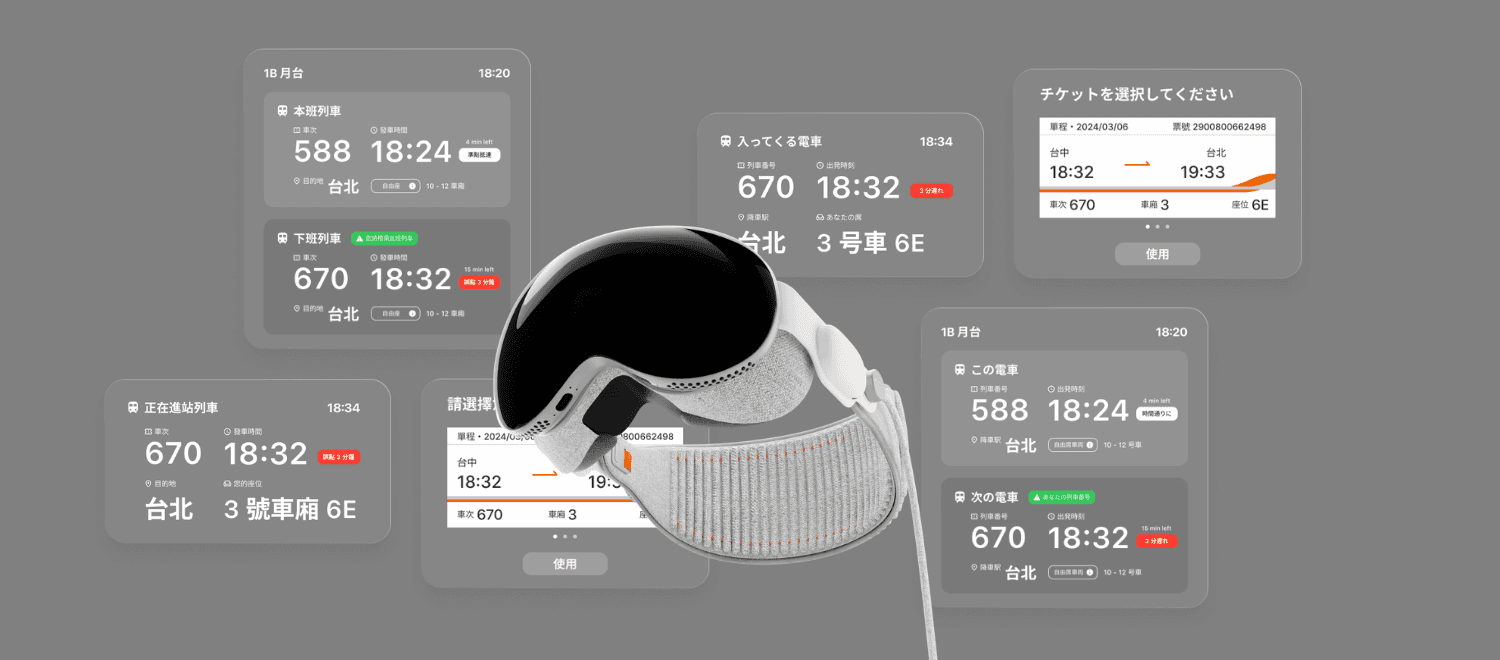
Final Design